
Note (October 2026): DSL Reports, which this guide originally recommended for local provider reviews, went fully offline in March 2025, and the Suddenlink brand linked below became Optimum in August 2022.
To choose an internet provider, first check which providers actually serve your street address (the FCC National Broadband Map lists them in the US), then decide how much speed your household needs, compare connection types such as fiber, cable, DSL, fixed wireless and satellite, and read each plan’s broadband label for the real monthly price, fees, data caps and contract terms.
Key Takeaways
- Availability comes first: search your exact address on the FCC National Broadband Map, which shows the providers, technologies and maximum speeds reported for that location.
- Since March 2024 the FCC defines fixed high-speed broadband as at least 100 Mbps download and 20 Mbps upload.
- The FCC’s speed guide lists 5-8 Mbps for HD streaming and 25 Mbps for 4K streaming per activity, so add up what everyone uses at the same time.
- Broadband labels, required from all US providers since October 10, 2024, show the price after any promotion, one-time fees, typical speeds and data caps.
Are you thinking of switching internet providers but are not sure where to start? Depending on your location, you might have a seemingly endless amount of providers to choose from, or you might be stuck with one or two. Whatever the case may be, here are a few things to consider when choosing an ISP.
Guide to Choosing an Internet Service Provider

Types of Service
The first thing that you will need to know is what type of services are available. Most companies, even companies that offer no contract internet, will have broadband service. Broadband is an umbrella term for any always-on, high-speed data connection; in March 2024 the US Federal Communications Commission (FCC) raised its benchmark for fixed high-speed broadband to 100 Mbps download and 20 Mbps upload, up from the 25/3 Mbps benchmark it set in 2015. This includes fiber optic service, DSL, satellite, and cable. These are all always-on services, but their real-world speed and latency differ a lot by technology, as the comparison table further down shows.
Then there is dial-up, which still exists but tops out at 56 kbit/s downstream, far too slow for video calls, streaming or most modern websites. If dial-up isn’t the only choice you have, then you will go with broadband.
What do You Need?
If you are choosing an ISP for your business, you will need to determine a few things first. One of the things that you need to know is how many people will need to be online at a given time. You also need to know what types of things they will be doing.
Getting service with slower speeds and a bandwidth that is rather narrow means that only a few users will be able to browse the web and send emails. If your business requires there to be a large number of downloads, online conferences, or videos, with quite a few people online at once, you will need higher speed levels and a wider bandwidth.
Also, you need to know if you will need online access for smartphones, tablets, and laptops. In other words, do you need Wi–Fi or will your service be hardwired?
What Can You Get?
Now that you know your users, what they will be doing, and the types of service that are available, you need to know what is offered in your area. One third-party lookup site is ISPProvidersInMyArea.com. It lists providers by zip code. For an official check by street address, use the FCC National Broadband Map (broadbandmap.fcc.gov), which shows each provider’s reported technology and maximum advertised speeds at your location.
Aside from that, you can ask family and friends in your area what provider they currently use and if they are happy with their provider or if they may have had any issues with them. Other things to ask include whether or not the service slows down during peak hours and if the providers respond quickly when there are service issues in the area.
Comparison sites like ISPProvidersInMyArea can give a quick first list, but zip-code results cover a wide area, so confirm availability for your exact address on the FCC map or the provider’s own site.
You will still need to pay a visit to the sites of the ISPs in order to get details on the packages they offer so that you will be able to thoroughly compare them yourself. You might want to pay close attention to things like:
Upload and download speeds
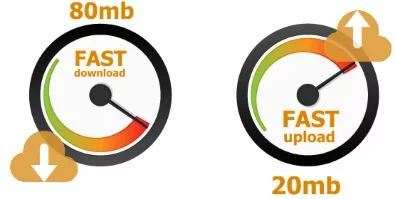
Everyone wants faster internet at a price they are willing and able to pay. When you are comparing prices, ensure that you are doing it on an apples to apples sort of basis. Compare the most similar plans depending on their upload and download speeds.
Contract and Cost
Some ISPs require you to purchase the modem outright or rent it from them. Other services provide it at no extra cost to you. Some might offer installation that is free, while other providers might charge you and call it a service call.
Many providers offer a discount if you bundle internet with another service such as mobile phone or TV, so compare the bundle price with the cost of each service bought separately. Some offer multi year contracts while others don’t require a contract. These are all things that you will need to think about when you compare different services by their price.
Reliability
Nothing else matters if you are not able to use the internet when you want or need to. A site called DSL Reports used to host user reviews of local providers, but it went fully offline in March 2025, so rely instead on neighbors’ experiences, local community forums and the provider’s outage history in your area. You can also use Speedtest.net if you want to get a real time speed test from your own computer. 🙂
What Types of Internet Connection Are There?
The main home internet technologies differ in how the signal reaches you, which sets their typical speed and latency. The figures below come from Wikipedia’s overview of internet access technologies; actual plans vary by provider and location.
| Connection type | How it works | Typical performance | Good to know |
|---|---|---|---|
| Fiber (FTTH) | Glass fiber all the way to the home | Highest data rates over long distances | Immune to electromagnetic interference |
| Cable (DOCSIS) | Hybrid fiber-coaxial TV network | Up to 1,000 Mbit/s downstream with DOCSIS 3.1 | Upstream ranges from 384 kbit/s to over 50 Mbit/s, far below download |
| DSL | Telephone lines | Consumer DSL typically 256 kbit/s to 20 Mbit/s downstream; VDSL2 can exceed 100 Mbit/s | Speed drops with distance from the provider’s equipment |
| Satellite (geostationary) | Dish pointed at a satellite high above the equator | A signal takes about a quarter of a second to reach the satellite and return | High latency hurts gaming and video calls |
| Satellite (low Earth orbit, e.g. Starlink) | Large constellations of low-orbit satellites | Lower latency and higher speeds than geostationary service | Needs a clear view of the sky |
| Cellular / 5G home internet | Mobile network to an indoor receiver | LTE offers roughly 100-300 Mbit/s download; 5G is designed to be faster with lower latency | Performance depends on signal strength and network load |
| Dial-up | Modem over a phone line | Maximum 56 kbit/s downstream | Only for basic email or text where nothing else exists |
How Much Internet Speed Do You Need?
The FCC’s Broadband Speed Guide gives these minimum download speeds per activity, and the FCC stresses that they are rough guidelines for one activity at a time:
- HD video streaming: 5-8 Mbps
- 4K Ultra HD streaming: 25 Mbps
- HD video conferencing: 6 Mbps
To size a plan, add up what each person does at the busiest time of day. For example, two 4K streams (2 x 25 Mbps) plus one HD video call (6 Mbps) already need about 56 Mbps before anyone downloads a game or backs up photos. Upload speed matters for video calls, cloud backups and live streaming, which is why the FCC’s benchmark includes a 20 Mbps upload figure. The FCC has also set a long-term goal of 1,000 Mbps download and 500 Mbps upload.
If your speeds feel slow on a plan that should be fast enough, the router and Wi-Fi setup are common culprits; see these ways to increase your internet speed and this guide to choosing a Wi-Fi router.
How Do You Check Which Providers Serve Your Address?
The FCC National Broadband Map (broadbandmap.fcc.gov) is the official US source: enter your street address and it lists the providers reported at that location, their technology and their maximum advertised speeds.
- Search your address and note every provider and technology listed.
- Check each provider’s own website with the same address, since the map shows reported availability, not a guarantee of service.
- If a listed provider says it cannot serve you, or the speeds shown are not actually for sale, file a challenge on the map. Location and availability challenges can be filed at any time, and evidence such as a written denial from the provider or speed test results makes a challenge stronger.
How to Read a Broadband Label
A broadband label is a standardized summary, modeled on food nutrition labels, that US internet providers must show for their home and mobile plans. The requirement came from the Infrastructure Investment and Jobs Act of 2021; it applied to providers with more than 100,000 subscriber lines from April 10, 2024, and to all other providers from October 10, 2024.
Use the label to compare plans on the same terms:
- Monthly price and whether it changes after an introductory period.
- One-time and recurring fees such as installation and equipment rental.
- Typical download and upload speeds, not just the advertised maximum.
- Data caps and what happens if you exceed them.
- Links to the provider’s network management and privacy policies and its customer support contacts.
In October 2025 the FCC voted to propose dropping some label requirements, including certain display and formatting rules, so how and where labels appear may change; the price, speed and fee information remains the core of what to compare.
Step-by-Step Checklist for Choosing an ISP
- List your needs: number of people and devices online at once, and their heaviest activities (4K streaming, video calls, gaming, large uploads).
- Check availability for your exact address on the FCC map and on providers’ sites.
- Prefer the strongest technology available, usually fiber, then cable, then fixed wireless or 5G home internet, with low-orbit satellite or DSL where nothing else reaches.
- Compare broadband labels for the price after promotions, fees, typical speeds and data caps.
- Check equipment costs: whether you must rent the modem or router, or can use your own.
- Ask neighbors about evening slowdowns and how quickly outages are fixed.
- Test after installation with a speed test at different times of day, and keep the results in case you need to raise a complaint or a map challenge.
Common Mistakes When Switching Providers
- Comparing promotional prices only: the label shows whether the price changes once the introductory period ends.
- Paying for speed you cannot use: use the FCC’s per-activity figures to size the plan rather than buying the top tier by default.
- Ignoring upload speed: cable and DSL plans often have far lower upload than download.
- Forgetting security: change the default router password and Wi-Fi name, and learn how to tell whether your Wi-Fi is secure.
For more on matching a plan to how your household lives, see how to choose the right internet service for your lifestyle.
Frequently Asked Questions
What is the best type of internet connection?
Fiber is generally the strongest home internet connection because it carries the highest data rates over long distances and is immune to electromagnetic interference. Where fiber is not available, cable is usually the next fastest option, with fixed wireless, 5G home internet, low-orbit satellite and DSL as alternatives depending on location.
What internet speed counts as broadband in the US?
Since March 2024 the FCC’s benchmark for fixed high-speed broadband is 100 Mbps download and 20 Mbps upload. The previous benchmark, set in 2015, was 25 Mbps download and 3 Mbps upload.
How do I find out which internet providers are available at my address?
Search your street address on the FCC National Broadband Map, which lists the providers, technologies and maximum speeds reported at that location, and confirm with each provider’s website. If the map is wrong, you can file a challenge.
Is the Affordable Connectivity Program still available?
No. The Affordable Connectivity Program, which gave eligible households a discount of up to $30 a month toward internet service (up to $75 on qualifying Tribal lands), ended in June 2024.
Does a speed test show my real internet speed?
A speed test such as Ookla’s Speedtest.net measures your connection’s download speed, upload speed and latency at that moment, but one result can be affected by Wi-Fi signal, other devices and network congestion. Run several tests at different times, ideally on a wired connection, before concluding that a plan underperforms.




1 Comment
Hey Harshil,
There are several different types of internet service that people can get in their homes or offices. Speeds vary and depend on a variety of factors including what type of service you are using, what level or tier of service you have purchased and how congested your network and the Internet are at any time.
DSL is short for digital subscriber line. It is delivered to your house through your already existing telephone line. DSL is the cheapest form of broadband internet available to your home or offices. Eventually, thanks for sharing your thought with us.
With best regards,
Amar kumar