Close Menu
JustwebworldJustwebworld
  • Astrology
  • Business & Finance
    • Cryptocurrency
    • Make Money
    • Entrepreneur
    • Brands
    • Companies
    • Personal Finance
      • Banking
      • Insurance
      • Trading and Investing
  • Tech
    • Computing
    • Cybersecurity
    • Electronics
    • Android
    • Apple
    • Gadgets
    • Social Media
    • Mobile Apps
    • Softwares
  • Education
    • Vocabulary
    • Abbreviations
    • General Knowledge
    • Writing & Translation
  • Lifestyle
    • Beauty & Cosmetics
    • Fashion & Style
    • Furniture & Decor
    • Luxury
    • People & Relationships
    • Pets and Animals
    • Shopping
    • Parenting
    • Gardening
    • Birthdays
  • Health
  • Travel
  • Auto
  • Gaming
  • Food
  • Entertainment
  • Sports
Facebook X (Twitter) Instagram Pinterest YouTube LinkedIn WhatsApp Telegram
Friday, February 13
  • About
  • Contact Us
  • Advertise With Us
  • Disclaimer
  • Terms & Conditions
  • Privacy Policy
JustwebworldJustwebworld
  • Astrology
  • Business & Finance
    • Cryptocurrency
    • Make Money
    • Entrepreneur
    • Brands
    • Companies
    • Personal Finance
      • Banking
      • Insurance
      • Trading and Investing
  • Tech
    • Computing
    • Cybersecurity
    • Electronics
    • Android
    • Apple
    • Gadgets
    • Social Media
    • Mobile Apps
    • Softwares
  • Education
    • Vocabulary
    • Abbreviations
    • General Knowledge
    • Writing & Translation
  • Lifestyle
    • Beauty & Cosmetics
    • Fashion & Style
    • Furniture & Decor
    • Luxury
    • People & Relationships
    • Pets and Animals
    • Shopping
    • Parenting
    • Gardening
    • Birthdays
  • Health
  • Travel
  • Auto
  • Gaming
  • Food
  • Entertainment
  • Sports
JustwebworldJustwebworld
Home » Technology » Cybersecurity » A Guide To Enhancing iPhone Security

A Guide To Enhancing iPhone Security

By Mohammad Shoaib Cybersecurity Apple
Facebook Twitter LinkedIn Telegram Pinterest Reddit WhatsApp
Follow Us
WhatsApp Telegram

Smartphones have become an extension of our personal lives. Because of this, they can contain a lot of sensitive and personal data. Therefore, you want to enhance your iPhone’s security as much as possible.

Luckily, iPhones have a lot of privacy measures integrated into the device by default. That being said, you are only truly protected if you are aware of the privacy measures and how to turn them on.
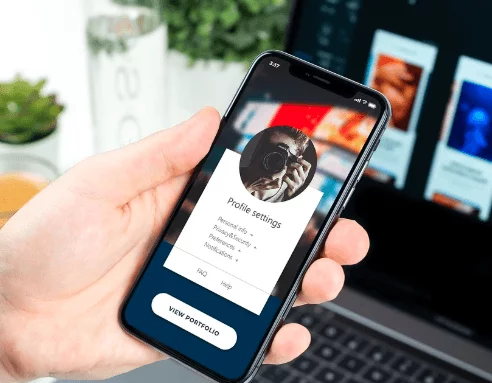
Guide To Enhancing iPhone Security

To fully ensure that you are minimizing the risks associated with oversharing your data, you will want to check the following privacy settings on your iPhone.

However, you will want one of the best iPhone VPNs as well as enabling the device’s built in security settings.

Table of Contents

Toggle
  • Privacy Settings
    • 1] Limit and/or Turn Off Location Tracking.
    • 2] Limit Access To Your Microphone and Camera.
    • 3] Preventing Advertisers From Targeting You.
    • 4] Cross-Site Tracking.
    • 5] Reduce Sensitive Information From Displaying On Your Lock Screen.
    • 6] USB Connection Security.
    • 7] Turn On Erase Data After a Certain Number Of Failed Passcode Attempts.

Privacy Settings

1] Limit and/or Turn Off Location Tracking.

For one, you want to limit and or completely turn off location tracking for the apps that are not deemed essential. While you will need location tracking on at all times for things like a navigation app or an app that locates your iPhone, you don’t need it for other types of apps that commonly request your location.

Even if you want to have a location on enabled on various apps, you don’t have to have it engaged at all times. By having your location shared with these apps at all times, you are simply oversharing information which infringes on your privacy.

To locate these settings, go to Settings > Privacy > Location Services and check to see which apps currently have access to your location. Simply scroll through and check each app. You will be able to change the setting from “Always” to “While Using The App” or to “Never.”

Also Read: To Know In Details About the ABC of Online Safety to Live Secure Life To Know In Details About the ABC of Online Safety to Live Secure Life

2] Limit Access To Your Microphone and Camera.

Another major area where you want to limit usage would be with your microphone and your camera. When you install an app and run it for the first time, you are likely to be prompted with this type of message if they are looking to use it.

There are specific apps that you will want to grant this type of access to and then there are apps that wouldn’t ever need these permissions enabled in the first place. With most apps, turning these permissions off is not going to break the functionality of the app itself.

Therefore, you want to turn this off for as many apps as possible. Only enable this for apps that have features that require the use and that you trust.

To locate these settings, go to Settings > Privacy > Camera and Settings > Privacy > Microphone. Here, you will be able to switch the access to either “on” or “off” for each app that requests this permission.

3] Preventing Advertisers From Targeting You.

Like other companies, Apple has a targeted ad platform which is designed to serve targeted ads based on all of the information that you give them. This includes a lot of your personal information.

Luckily, you can opt-out of getting this information shared and from getting targeted ads. While you won’t see fewer ads as a result, you will not see as many relevant and targeted ads directly meant for you.

To locate these settings, go to Settings > Privacy > Advertising. From here, you will be able to switch “Limit Ad Tracking” to “On.” You will also be able to limit Apple’s ability to send you Geo-specific ads.

Also Read: Rumors on Apple iOS 8 with iWatch integration and 3 New features Rumors on Apple iOS 8 with iWatch integration and 3 New features

To do this, simply go to Settings > Privacy > Location Services > System Services and turn “Location-Based Apple Ads” to “Off.”

4] Cross-Site Tracking.

If you are someone that doesn’t want to have sites constantly tracking you and serving you ads based on your browsing history, you will want to turn this setting off.

You can minimize the occurrence of this by going over to Settings > Safari and turning on the setting that says “Ask Websites Not To Track Me” and by turning on the setting “Prevent Cross-Site Tracking.”

5] Reduce Sensitive Information From Displaying On Your Lock Screen.

Nowadays, information is power. Unfortunately, the more information you share, the more you put yourself at risk. If you are looking to protect yourself from getting your iPhone stolen and having your information used against you, it might be wise to turn off sensitive data from displaying on your lock screen prior to being unlocked.

To locate this setting, go to Settings > Face ID and Passcode. From here, you will be able to turn off the setting which says “Allowed Access When Locked.”

6] USB Connection Security.

If you are someone that plugs your iPhone into public or potentially harmful USB ports, you might want to restrict USB access to better protect your phone from being targeted. You can do this by enabling USB Restricted Mode which will limit the lighting port to only charging status.

This can eliminate the risk of having your data stolen. It will also better protect your device from being hacked if you lose it or it gets stolen.

Also Read: 10 Best Way to Find Out If Someone You Know Is A Criminal 10 Best Way to Find Out If Someone You Know Is A Criminal

To turn on this setting, simply go to Settings > Face ID and Passcode and enter your passcode. From there, you will be able to turn on USB Restricted Mode.

7] Turn On Erase Data After a Certain Number Of Failed Passcode Attempts.

IF you really want to protect yourself, you will be able to turn on a fail safe protection plan in the event that you get your iPhone stolen. This can help to secure your data from a potential brute force hacking attempt.

That being said, don’t turn this on if you have smaller children that you fear might attempt to unlock your phone a bunch of times. As long as you have an automatic backup turned on, you won’t have to worry about losing everything on your phone.

To turn this setting on, go to Settings > Apple ID > iCloud > iCloud Backup and turn it to “On” status. This will ensure that your phone is properly backed up once per day whenever you are connected to a WiFi network which can help to protect your data.

cards
Powered by paypal
Follow on WhatsApp Follow on Telegram
Share. Facebook Twitter Pinterest LinkedIn Tumblr Telegram WhatsApp Copy Link
Previous ArticleWhat Spotify Can Learn From Tencent Music Entertainment?
Next Article Ways to Improve SEO Rankings In 2020
Mohammad Shoaib

Mohammad Shoaib is a freelance writer who offers blogging, ghostwriting and copy-writing services. He works closely with businesses providing digital marketing solution that increases brand awareness and search engine visibility.

Related Posts

Why Privacy Is Becoming a Luxury in 2026: The Shocking Reality of Digital Surveillance

FAQs Cloud-Based Businesses Have About DSPM

Future-Proofing Your Content: The Indispensable Role of Video DRM

Why Renting A Phone Number Is the Smart Way to Receive SMS Safely

How Safe Is Your Data? A Real Look Into Everyday Privacy

9300120111410471677883 USPS Package Scam Explained

Leave A Reply

Subscribe to Blog via Email

Enter your email address to subscribe to this blog and receive notifications of new posts by email.

Join 43.1K other subscribers
Categories
Latest Posts

How to Choose One Of The Best Trading Platforms In India For IPO Investment?

How to Reach More Customers as Your Business Grows

Senior Citizens Prefer Fixed Deposit: Know What Makes It Their Preferred Choice

When Small Wins Face Big Setbacks

How Overseas Education Enhances Employability in Global Markets

Why Privacy Is Becoming a Luxury in 2026: The Shocking Reality of Digital Surveillance

Solving Visibility in Logistics With Unified Last Mile Carrier Tracking

Stud, Hoop, and Drop: Types of Diamond Earrings Explained

Regulated Plant-Based Products With Consistent Quality

Why Tech Billionaires Are Suddenly Building Offline Businesses

The content on this website is provided solely for educational and informational purposes. We do not promote, endorse, or deal in any products, services, or activities mentioned. While we strive to share accurate and up-to-date information, we make no warranties regarding completeness, reliability, or accuracy. Any action you take based on the information found here is strictly at your own risk, and we will not be liable for any losses or damages in connection with the use of our website.

DMCA.com Protection Status
Quick Links
Age Calculator
Angel Number Calculator
Case Converter
Sudoku Online
Word Counter
Love Calculator
Jack Doherty YouTuber
Snake Dream Meaning
Get Rid of Cockroaches
Indian Cricket Team Coaches
Best Volleyball Team Names
Useful Links
Number to Words
Period Calculator
Yes-No Picker Wheel
Demon Name Generator
Kingdom Name Generator
Harry Potter Name Generator
Daddy Yankee Biography
Crocodile Dream Meaning
Goa Budget Trip Guide
Maryse Mizanin WWE Diva
Best Cricket Team Names
Helpful Resources
Colors Name In English
Best Computer Brands
WhatsApp Web
Most Beautiful Beaches
Tesla Cybertruck Review
Richest Actors in the World
India Jarvis Actress
Cat Dream Meaning
Belmar Beach New Jersey
Aryna Sabalenka Tennis Superstar
Best WhatsApp Group Names
Explore More
Good Morning Handsome
Best English Songs of All Time
Cricket World Cup Winners
Ways to Say Rest In Peace
Britain’s Got Talent Winners
American Idol Winners
Dude Perfect Net Worth
Horse Dream Meaning
Ramakrishna Beach Visakhapatnam
Anastasia Potapova Tennis Star
Best Funny Team Names
Facebook X (Twitter) Instagram Pinterest YouTube Tumblr LinkedIn WhatsApp Telegram Threads RSS
  • About
  • Contact Us
  • Advertise With Us
  • Disclaimer
  • Privacy Policy
  • Terms & Conditions
  • Web Stories
Copyright © 2012-2026. JustWebWorld - All Rights Reserved.

Type above and press Enter to search. Press Esc to cancel.

×

👇 Bonus Reads for You 🎁

Pros and Cons of VPN Services
What Are The Pros And Cons Of Using A VPN?
Facebook Monitoring for Teenagers
Facebook Monitoring: Necessity for Teenagers
NordVPN Review
NordVPN Review 2021 – Advanced Cybersecurity, Blazing Speeds
How Safe Is Your Data
How Safe Is Your Data? A Real Look Into Everyday Privacy