Close Menu
JustwebworldJustwebworld
  • People
  • Sports
  • Culture
  • Lifestyle
  • Food
  • Travel
  • Health
  • Tech
  • Business
  • Money
  • Digital
  • Gaming
  • Auto
  • Fashion
  • Home
  • Mind
  • Learn
Facebook X (Twitter) Instagram Pinterest YouTube LinkedIn WhatsApp Telegram
Saturday, October 10
  • About
  • Contact
  • Advertise
  • Disclaimer
  • Privacy Policy
  • Editorial Policy
  • Tools
  • Games
JustwebworldJustwebworld
  • People
  • Sports
  • Culture
  • Lifestyle
  • Food
  • Travel
  • Health
  • Tech
  • Business
  • Money
  • Digital
  • Gaming
  • Auto
  • Fashion
  • Home
  • Mind
  • Learn
JustwebworldJustwebworld
Home » Tech » 7 Effective Tips to Avoid SD Card Problems & Corruption

7 Effective Tips to Avoid SD Card Problems & Corruption

Michael Austin Tech
Michael Austin
By Michael AustinOwner and Editor
Published Jun 2, 20204 min read

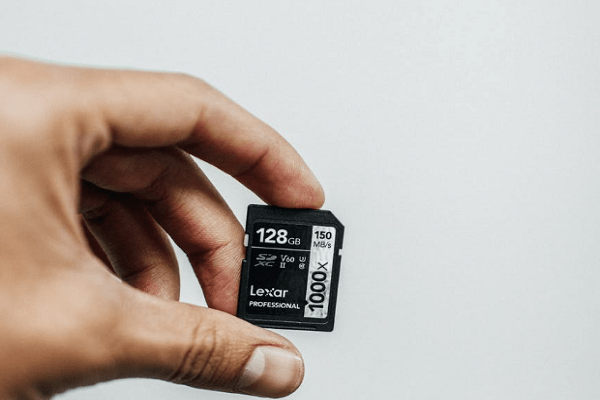
SD cards are an important component of digital photography. It is a storage accessory that records the snapped image taken with the digital camera. Once you take photos, the SD card becomes a crucial part of your camera as it is responsible for transferring images safely back into your computer.

  1. Habits To Follow To Avoid Memory Card Problems
    1. 1] Invest in High-Quality SD Card and Reader
    2. 2] Format the SD Card as Soon as You Get it
    3. 3] Don’t Switch Devices Without Formatting
    4. 4] Turn off the Camera Before Removing Your SD Card
    5. 5] Stop Filling it Before the Card is Full
    6. 6] Never Use Your SD Card on a Low- Battery Device
    7. 7] Put Your Card in a Safe Environment

Habits To Follow To Avoid Memory Card Problems

Ways to Avoid Memory Card Corruption

SD cards are square or rectangular in shape that slots into your camera to read/write each image file it creates. There are various SD Cards available in the market to purchase, depending upon the built to suit different needs, camera models and budgets. But nothing comes for life, having issues with memory cards is nothing new.

On a beautiful day, you wish to see the photos by inserting your camera SD card in your computer, but to your dismay, you only see the notification hinting the card error or worse, the card is empty and devoid of any recollection of your captured memories.

Therefore, we can conclude that, just like any type of technology, anything can go wrong with your SD cards. SD cards are a fantastic piece of tech, but they do require extensive care. Therefore, here are some tips to avoid SD card problems.

1] Invest in High-Quality SD Card and Reader

You get what you pay for; therefore, a cheap SD card can compromise your photography and other files. So, if you are willing to protect your digital data, invest in a quality SD card and reader.

Although the function of a reader is to read the card, yet it can be damaged due to physical factors. If you want to avoid issues with your card, purchase the reader from the same manufacturer as your card.

Besides, steer away from deals that look “too good to be true” since there are people out there ready to sell anything for enhanced profits.

2] Format the SD Card as Soon as You Get it

Once you have bought a new SD card, it is ready to read/write plenty of data, but make sure that your SD card is formatted in the camera first.

Formatting the SD card in the same device is important since it can minimize the likelihood of jumbling latest images with lingering data left on the card from past shoots. Format option in your camera will clear the card for storing new files.

3] Don’t Switch Devices Without Formatting

Switching your SD card between various devices can increase the chances of its corruption. It happens because different cameras have different filing system requirements or architecture, so interchanging them can lead to sd cards data failure.

If you want to change the equipment, then you must format it before using it or buying a new SD card is the safest way out.

4] Turn off the Camera Before Removing Your SD Card

To minimize the risk of data corruption or deletion, you must remove your SD card once your camera is off. If you remove it while the camera is still on, it can interrupt the writing process and potentially corrupt your snapshots.

5] Stop Filling it Before the Card is Full

It may sound counter-intuitive that if there is still some memory in it, why shouldn’t you use it? But the reason is, just like your maxed out hard drives, a card nearing capacity can result in slow processing and this can affect your digital files.

To avoid such issues, invest in an expanded storage capacity SD card and keep an eye on the image count. The storage should not exceed more than 90%.

6] Never Use Your SD Card on a Low- Battery Device

The battery of your camera is as important as the SD card inserted in it so don’t skimp on batteries.

If you push your camera to the limit where battery is draining, chances are they will exhaust at the exact moment your camera is writing to your memory card which can cause sd card data corruption requiring you to hire a data recovery firm.

To avoid this scenario, ensure that your camera’s battery is charged before you put in your SD card.

7] Put Your Card in a Safe Environment

Physical factors such as air, dust, water and static electricity can cause damaging effects on your SD card. Even the smallest static particles can destroy your storage cards.

Avoid taking your SD cards for granted by throwing them in grumpy pockets or bags. If you wish to enhance their life, keep them well-protected.

Michael Austin
Written byMichael AustinOwner and Editor

Michael Austin is the current owner of Justwebworld and manages the platform’s editorial direction, content strategy, and digital publishing operations. With a strong interest in online media and modern publishing, he focuses on creating informative, engaging, and easy-to-understand content across multiple categories. Under his leadership, Justwebworld continues to grow as a trusted multi-niche digital publication covering technology, business, lifestyle, automotive, sports, travel, and trending internet topics for readers worldwide.

More from Michael Austin →

Justwebworld has published guides since 2012. How we write and update articles · Report an error

Continue exploring

More Tech Guides

  • TechHow to Recover Deleted Photos From Android Phone SD Card – Recoverit
  • TechHow Can A 16GB Micro SD Card Solve Your Storage Issues?
  • TechRecover Deleted Photos From SD Card
  • TechMoveIt App: Transfer Your Media Files to SD Card On Android
  • Tech7 Most Common Phone Problems and Their Solutions
  • Tech5 Most Common Macbook Problems and How to Fix Them!
cards
Powered by paypal
Follow on WhatsApp Follow on Telegram
Share. Facebook Twitter Pinterest LinkedIn Tumblr Telegram WhatsApp Copy Link
Previous ArticleHow to Get Followers On Instagram
Next Article How to Optimize PC Performance: 7 Tools and Free Fixes
Michael Austin
Michael Austin
  • Website
  • Facebook
  • X (Twitter)
  • Pinterest
  • Instagram
  • LinkedIn

Michael Austin is the current owner of Justwebworld and manages the platform’s editorial direction, content strategy, and digital publishing operations. With a strong interest in online media and modern publishing, he focuses on creating informative, engaging, and easy-to-understand content across multiple categories. Under his leadership, Justwebworld continues to grow as a trusted multi-niche digital publication covering technology, business, lifestyle, automotive, sports, travel, and trending internet topics for readers worldwide.

Related Posts

Production Schedules Are Increasingly Dependent On Systems That Were Once Considered Back-office It

Shared inboxes create security blind spots that rarely show up in policy reviews

Mbps vs MB/s: What’s the Difference and How to Convert

How AI Website Builders Are Changing the Game for Local Small Businesses (2026)

Top UI/UX Design Agencies for SaaS Products in 2026

How to Choose the Right Mobile Recharge for Unlimited Data

Leave a comment
Leave A Reply

Subscribe to Blog via Email

Enter your email address to subscribe to this blog and receive notifications of new posts by email.

Join 42K other subscribers

How Long Do Leftovers Last in the Fridge? A Simple Food Safety Guide

October 10, 2026

LBW Rule in Cricket Explained: The 5 Conditions in Simple Words

October 10, 2026

Why “I Want to Drop the Charges” Doesn’t End a Domestic Violence Case

October 10, 2026

Indian Nobel Prize Winners: Full List From Tagore to 2026

October 10, 2026

Power Bank on Flights: Rules, Wh Limits and What Changed in 2026

October 10, 2026

What Is an FIR? Full Form, Zero FIR and How to File One in India

October 9, 2026

Anniversary Gifts by Year: Traditional and Modern List From 1st to 60th

October 9, 2026

GPT Full Form: What GPT Stands For in ChatGPT, Computers and Medicine

October 9, 2026

Two-Factor Authentication (2FA): What It Is and How to Turn It On

October 9, 2026

The Eisenhower Matrix: How to Prioritise Tasks With 4 Boxes

October 8, 2026
Categories

The content on this website is provided solely for educational and informational purposes. We do not promote, endorse, or deal in any products, services, or activities mentioned. While we strive to share accurate and up-to-date information, we make no warranties regarding completeness, reliability, or accuracy. Any action you take based on the information found here is strictly at your own risk, and we will not be liable for any losses or damages in connection with the use of our website.

DMCA.com Protection Status
Justwebworld

Explore knowledge, feed curiosity — trusted by readers since 2012.

Explore Topics
TechBusinessDigitalMoneyLearnPeopleLifestyleCultureHealthHomeTravelGamingFashionAutoFoodMindLawSportsShoppingAI
Popular Tools
Age CalculatorWord CounterCase ConverterLove CalculatorReading TimePeriod CalculatorNumber to WordsAngel NumberHarry Potter NameDemon NameKingdom NameAll Tools →
Popular Games
Bubble BlastSudokuTruth or Dare WheelYes / No WheelAll Games →
Facebook X (Twitter) Instagram Pinterest YouTube Tumblr LinkedIn WhatsApp Telegram Threads RSS
  • About
  • Contact
  • Advertise With Us
  • Disclaimer
  • Privacy Policy
  • Terms & Conditions
  • Editorial Policy
  • Write for Us
Copyright © 2012-2026. Justwebworld - All Rights Reserved. | Sitemap

Type above and press Enter to search. Press Esc to cancel.

Read next

  • How to Recover Deleted Photos From Android Phone SD Card – Recoverit
  • How Can A 16GB Micro SD Card Solve Your Storage Issues?
  • Recover Deleted Photos From SD Card