

Note (September 2026): FireFTP no longer works in current Firefox (it broke with Firefox 57), and FlashFXP and CoffeeCup Free FTP have not been updated since 2017 and 2018. The entries below now say so, and the SkyDrive and iDisk references have been corrected.
The best-supported FileZilla alternatives as of September 2026 are WinSCP (free, Windows), Cyberduck (free and open source, Mac and Windows), and Transmit or ForkLift (paid, Mac). SmartFTP and CuteFTP are paid Windows options. FireFTP is discontinued, and FlashFXP and CoffeeCup Free FTP have not been updated since 2017 and 2018.
Key Takeaways
- WinSCP is the leading free FileZilla alternative on Windows and supports SFTP, SCP, FTP, FTPS, WebDAV and Amazon S3.
- Cyberduck is free, GPL-licensed and runs on both macOS and Windows, with built-in support for cloud storage such as Amazon S3, Google Drive, Dropbox and OneDrive.
- Transmit 5 ($45 as of September 2026) and ForkLift 4 are the main paid choices for Mac users; prices change, so check the maker’s store.
- FireFTP is discontinued, and FlashFXP and CoffeeCup Free FTP are no longer updated, so they are poor picks for new setups.
- Whatever client you choose, connect with SFTP or FTPS rather than plain FTP, which sends passwords in clear text.
Recently, we have received a number of inquiries about the best FTP client like FileZilla, the best FileZilla alternatives, alternatives to FileZilla FTP Client to transfer files and some more similar questions. And when I got to know about this, I planned to research and try out some FileZilla alternatives. I thought that why not to share with you people in my new article. And see, I am here today with the top 10 FileZilla Alternatives you should try.
Best FileZilla Alternatives for Linux and Windows

No doubt that FileZilla is one of the best free and most powerful FTP client which helps in uploading the files on the web server. It is open source software which is available for free under the GNU General Public License (GPL-3.0-or-later for the client). According to Wikipedia, the latest stable release is version 3.70.5, released on May 7, 2026. It is available easily on the official website. You can use this software for both office and home tasks. So, if you are using FileZilla for transferring the files and navigating around your PC, folders and websites, then you might know all its features.
Features of FileZilla:
- Supports FTP, FTP over SSL/TLS (FTPS) & SSH File Transfer Protocol (SFTP)
- Cross-platform.
- Runs on Windows, Linux, *BSD and macOS (the name Apple has used for Mac OS X since 2016)
- Perfect IPv6 and Drag & drop support
- Available in various languages
- Supports resume and transfer of large files > 4GB
- Tabbed user interface
- Powerful Site Manager and transfer queue
- Bookmarks & Filename filters
- Configurable transfer speed limits
- Directory comparison and Synchronized directory browsing
- Network configuration wizard
- Remote file editing & remote file search
- HTTP/1.1, SOCKS5 and HTTP-Proxy support
and much more advanced features which you will get with this FTP client.
In spite of these amazing FileZilla features, our readers requested for best FileZilla alternatives. I did a little research and compiled this list for you all. This list of top 10 FileZilla alternatives includes both free and paid ones. There are some newbies who actually find using FileZilla a bit intimidating one and thus prefer using the basic FTP functions. This list is for you guys.
Best Alternatives to FileZilla FTP Client
WinSCP
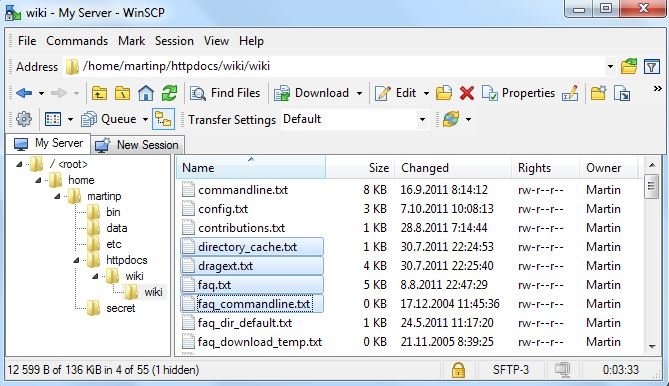
WinSCP is a free SFTP, SCP, FTP, FTPS, WebDAV and Amazon S3 client for those who are using the Windows OS, and it is still actively developed, with a new release in September 2026. Its official site reports 271 million downloads to date. It is a free FTP client which can be downloaded easily and features a user-friendly interface. The file manager of this software helps people for uploading the files easily on the online web-server. Also, its feature Secure Shell helps in securing all the file transfers effectively and efficiently. This software is available for free.
CuteFTP

CuteFTP is a close, commercial FileZilla alternative. This software can be used on daily basis for transferring and exchanging the files. Some of the important features of this program include synchronizing folders, concurrent transfers, support of standard FTP over SSL (FTPS) and SFTP (SSH2), filtered listings, transfer resume, site-to-site transfers (FXP), scheduled transfers and multi-part transfers. This software is available for a free trial and then you have to buy it. CuteFTP is now part of Fortra’s Globalscape product line; Wikipedia lists version 9.4.0 for Windows (April 2026), while the Mac edition has not been updated since version 3.1.2 in 2014.
Cyberduck
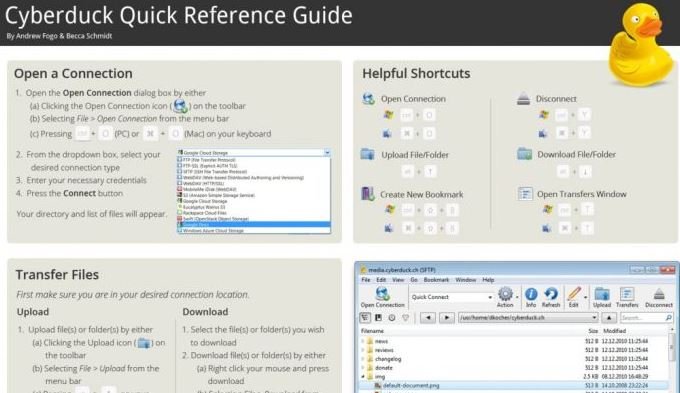
Cyberduck is considered to be the best FileZilla alternative which can be used by both Mac and Windows users. This software offers amazing features to the users. According to its official website, Cyberduck supports FTP, SFTP, WebDAV, SMB, Amazon S3, Google Cloud Storage, Azure, Backblaze B2, Box, Nextcloud, ownCloud, Google Drive, Dropbox and OneDrive, and it can encrypt files on the client side with Cryptomator. Cyberduck is free, open-source software licensed under the GPL, and it is also offered through the Mac App Store and the Windows app store.
Forklift

Forklift is considered to be an advanced FileZilla alternative. It is an advanced file manager and WebDAV+ FTP+ SFTP+ Amazon S3 client for the Mac users. ForkLift uses a dual-pane layout, so a local folder and a remote server can sit side by side, and it connects over both SFTP and FTP. It has got amazing features and design. As of September 2026, binarynights lists ForkLift 4 (version 4.7.5, released September 1, 2026, for macOS 14.6 or later) with support for SFTP, FTP, WebDAV, Amazon S3, Backblaze B2, Google Drive, OneDrive, Dropbox, Rackspace Cloudfiles, SMB, AFP and NFS. Apple’s iDisk, named in older descriptions, closed along with MobileMe on June 30, 2012.
Transmit
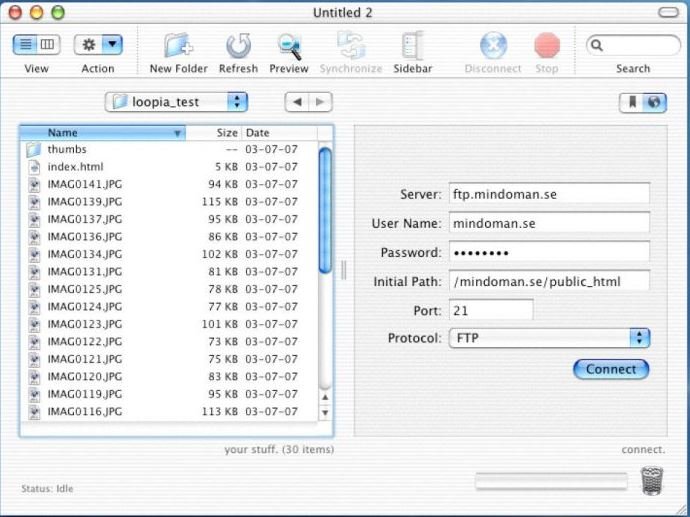
Transmit is one of the well-known FileZilla alternatives which is available for mac users. It is paid software which comes with a 7-day free trial. Transmit 5 requires macOS 13.0 or later and supports FTP, SFTP, WebDAV and Amazon S3, plus cloud services such as Backblaze B2, Box, Google Drive, Dropbox and Microsoft Azure. As of September 2026, Panic lists Transmit at $45 (prices change); according to Wikipedia, after the seven-day trial it runs only in seven-minute sessions until it is purchased.
FireFTP
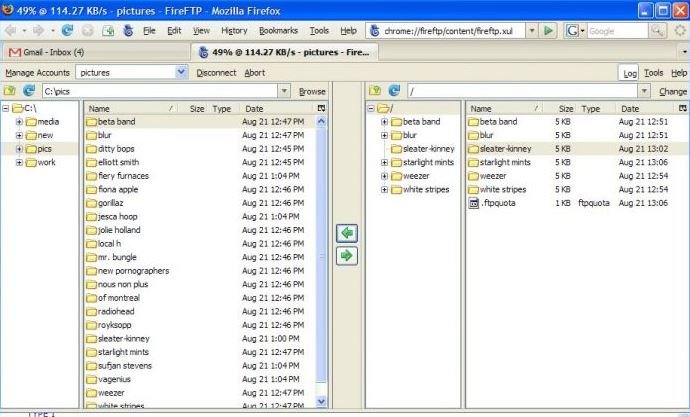
FireFTP was a free, open-source FTP client that ran as an add-on inside Mozilla Firefox. However, FireFTP is discontinued: it is not compatible with Firefox 57 (Quantum) or later, and its last version, 2.0.32, was released on February 1, 2019, according to Wikipedia. Its authors point users to the Waterfox browser, which still runs legacy add-ons; for most readers, a standalone client such as WinSCP or Cyberduck is the practical replacement.
FlashFXP
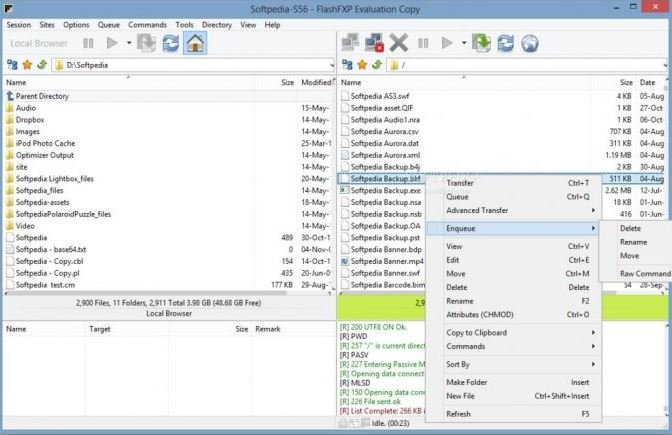
If you are searching for the most reliable and a secure FTP client as a FileZilla alternative, then FlashFXP is for you. This software has a simple GUI. It can be used for both server-to-server (FXP) and client-to-server transfers. With this FTP client, it is super easy to upload, download and synchronize the files. Be aware that FlashFXP has not been updated since version 5.4.0.3970, released on April 1, 2017, according to Wikipedia; OpenSight Software still offers it for download, but an actively maintained client is the safer choice for a new setup.
SmartFTP

SmartFTP is a professional FileZilla alternative which is only for the Windows devices. The current SmartFTP 10 (build 3331 on the official site in September 2026) runs on Windows 10 and later (64-bit) and, depending on the edition (Professional, Ultimate or Enterprise), adds WebDAV, Google Drive, OneDrive, Amazon S3 and Backblaze B2 support. SmartFTP is paid trialware; it has not been free for home users since July 2008. This software can be used for not only for uploading or downloading the data, but even for creating backups of the server. Some of the great features of this software include Advanced schedule, FTP, and FTPS (Secure FTP), SFTP over SSH, UTF-8 support, integrated editor, autos reconnect, resume of broken transfers, modern GUI, Proxy/Firewall support, file/folder synchronization and much more.
CarotDAV
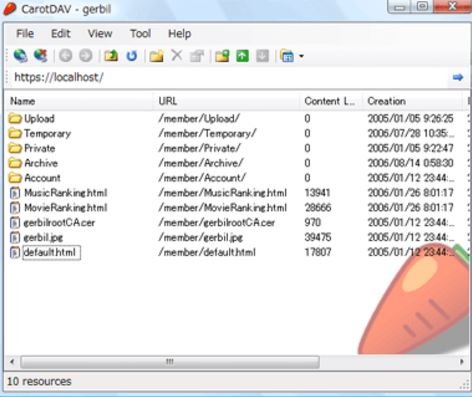
CarotDAV is a free Windows client for people who want to upload data to online storage accounts such as Box, OneDrive (called SkyDrive until February 2014), Google Drive and Dropbox, as well as to WebDAV, FTP and SFTP servers. This software has a user-friendly interface which helps the users in uploading and downloading the files easily. According to its developer’s page (updated September 24, 2026), CarotDAV 1.16.4 is free for personal and commercial use, needs .NET Framework 2.0/4.0, and can encrypt file names and contents with AES-256.
FreeFTP

The last alternative to FileZilla FTP client on this list is CoffeeCup Free FTP. This software comes as a free version, with CoffeeCup’s paid Direct FTP as the full version. All the basic operations are available in its free version as well. Using this software is super easy. Also, the setting permissions of this software are just a click away. It is intuitive and easy to use, and it supports FTP, SFTP and FTPS, and can also handle HTTP. Be aware that CoffeeCup’s download page still lists Free FTP 4.5, released on July 3, 2018, for Windows 8, 7 and Vista, so it has not been updated in years.
Apart from these FileZilla alternatives, few other alternatives are FOFF, AndFTP, CrossFTP Pro, Bitkinex, Total Commander, FTP Rush, YummyFTP and much more. Using the FileZilla’s alternatives, you can easily manage the remote servers in a quick way. These can be used for transferring the files easily and effectively.
Please feel free to share your thoughts with us. 🙂
FileZilla Alternatives Compared
The table below summarizes each FileZilla alternative on this list as of September 2026, based on the makers’ official pages and Wikipedia. Prices change, so check the maker’s store before buying.
| Client | Platforms | Main protocols | Cost | Status (September 2026) |
|---|---|---|---|---|
| WinSCP | Windows | SFTP, SCP, FTP, FTPS, WebDAV, S3 | Free | Active (release in September 2026) |
| CuteFTP | Windows (Mac edition last updated 2014) | FTP, FTPS, SFTP, WebDAV | Paid, free trial | Active on Windows (9.4.0) |
| Cyberduck | macOS, Windows | FTP, SFTP, WebDAV, SMB, S3, Azure, B2, Google Drive, Dropbox, OneDrive | Free (GPL) | Active |
| ForkLift 4 | macOS 14.6+ | SFTP, FTP, WebDAV, S3, B2, Google Drive, OneDrive, Dropbox, SMB, AFP, NFS | Paid, free trial | Active (4.7.5) |
| Transmit 5 | macOS 13.0+ | FTP, SFTP, WebDAV, S3, B2, Box, Google Drive, Dropbox, Azure | $45, 7-day trial | Active |
| FireFTP | Firefox add-on | FTP | Free | Discontinued (not compatible with Firefox 57+) |
| FlashFXP | Windows | FTP, FXP, FTPS, SFTP | Paid | No update since April 2017 |
| SmartFTP | Windows 10+ (64-bit) | FTP, FTPS, SFTP, WebDAV, S3, Google Drive, OneDrive | Paid trialware | Active (version 10) |
| CarotDAV | Windows | WebDAV, FTP, FTPS, SFTP, OneDrive, Dropbox, Google Drive, Box | Free | Active (1.16.4) |
| CoffeeCup Free FTP | Windows | FTP, SFTP, FTPS | Free (paid Direct FTP) | No update since July 2018 |
Which FileZilla Alternative Should You Choose?
The right FileZilla alternative depends mostly on your operating system and whether you also need cloud storage.
- Free, on Windows: WinSCP is free and actively developed. CarotDAV is a free option if you mainly move files to WebDAV servers or cloud drives.
- Free, on Mac or on both Mac and Windows: Cyberduck is free, open source and uses the same app on both systems.
- Paid, on Mac: Transmit 5 and ForkLift 4 are polished paid clients. ForkLift is also a full dual-pane file manager; as of September 2026, binarynights sells ForkLift 4 lifetime licenses from $19.95 for one user with one year of updates (prices change).
- Paid, on Windows: SmartFTP and CuteFTP offer scheduling and professional features with free trials.
- On Linux: none of the maintained graphical clients on this list runs on Linux. FileZilla itself does, and Cyberduck’s command-line version, called duck, is available for Linux as well as Windows and macOS.
Why Do People Look for a FileZilla Alternative?
FileZilla remains a capable, free client, but several recurring concerns push users toward alternatives. According to Wikipedia’s account of FileZilla’s history, these include:
- Bundled installer offers: in 2013 a SourceForge download wrapper offered additional software, and some users reported adware installing despite declining the offers. A similar controversy over bundled installers came up again in 2018.
- Ads in the update dialog: since at least 2016, FileZilla has shown promotional offers in its update-check window.
- Password storage: until version 3.26, FileZilla stored saved passwords unencrypted; encrypted storage arrived in May 2017.
- No cloud storage in the free version: Amazon S3, Google Drive, OneDrive, Box, Backblaze B2 and WebDAV support is reserved for the paid FileZilla Pro, according to its official site.
If you stay with FileZilla, download it only from the official FileZilla project website and read each installer screen before clicking Next.
FTP vs FTPS vs SFTP: Which Protocol Should You Use?
FTP (File Transfer Protocol) is the original standard for moving files between a client and a server. FTP does not encrypt its traffic, so usernames, passwords and data travel in clear text and can be read by anyone able to capture the network traffic.
FTPS is FTP with Transport Layer Security (TLS) added, which encrypts the login and the files. SFTP (SSH File Transfer Protocol) is a different protocol that runs over Secure Shell (SSH) version 2 and is widely treated as the secure replacement for FTP.
For most website owners, SFTP is the simplest secure choice, because many web hosts provide SSH access. Every actively maintained client in the table above supports SFTP. Web browsers are no longer an option for FTP: Google Chrome removed FTP support in Chrome 88, and Firefox dropped it entirely in Firefox 90.
How to Switch From FileZilla Safely
- Pick a maintained client from the comparison table for your operating system.
- Collect your server details (host name, port, protocol and username) from your web host’s control panel. If you are unsure what your hosting plan includes, see our guide to everything you need to know about web hosting.
- Choose SFTP or FTPS when you create the new connection, and avoid plain FTP.
- Use a strong, unique password for each server account; a secure password generator makes this easy.
- Test with a small file before moving whole folders or setting up synchronization.
For more utilities for site owners and developers, browse the web and developer tools on Justwebworld.
Frequently Asked Questions
What is the best free alternative to FileZilla?
WinSCP is a popular free FileZilla alternative on Windows, and Cyberduck is the leading free option that runs on both macOS and Windows. Both are actively developed and support SFTP, FTPS and FTP.
Is FileZilla still safe to use?
FileZilla is still maintained, with version 3.70.5 released on May 7, 2026, according to Wikipedia. Download it only from the official project site, decline any bundled offers in the installer, and connect with SFTP or FTPS instead of plain FTP.
Does FireFTP still work?
No. FireFTP is discontinued and is not compatible with Firefox 57 (Quantum) or later. Its last version, 2.0.32, was released on February 1, 2019.
What is the best FileZilla alternative for Mac?
Cyberduck is the main free choice for Mac. Transmit 5 ($45 as of September 2026) and ForkLift 4 are paid Mac clients with free trials, and both support cloud services such as Amazon S3, Google Drive and Dropbox. Prices change, so check the maker’s store.
What is the difference between SFTP and FTPS?
SFTP is a separate protocol that runs over SSH, while FTPS is regular FTP with TLS encryption added. Both encrypt passwords and files; plain FTP encrypts neither.
Is there a FileZilla alternative for Linux?
None of the maintained graphical clients on this list runs on Linux. FileZilla itself supports Linux, and Cyberduck’s command-line tool, duck, is available for Linux as well.

Justwebworld has published guides since 2012. How we write and update articles Report an error
