

Mobile phones are a part of our lives and their problems become a part of our everyday life too. We all have experienced one or the other problem with our mobile phones. Irrespective of the type, size, and operating system of the phone, we have come across some or other issues with it.
The most common phone problems are a slow phone, fast battery drain, water damage, running out of storage, overheating, Bluetooth pairing trouble and a cracked screen. Many can be fixed at home by closing background apps, clearing space, lowering screen brightness or restarting devices, but water damage and cracked screens usually need a professional repair shop.
Key takeaways
- Closing unused apps and deleting apps you no longer use can help a slow phone.
- Lower screen brightness, a shorter screen timeout and battery-saving mode help the battery last longer.
- If a phone gets wet, turn it off, do not plug it in and take it to a repair shop.
- Cloud services such as iCloud and Google Drive, or a microSD card, free up storage space.
- Keep your phone out of direct sun and avoid using it while charging to reduce overheating.
It is almost impossible to avoid phone issues because not only it helps to stay connected to near and dear ones, it is also important to handle business too.
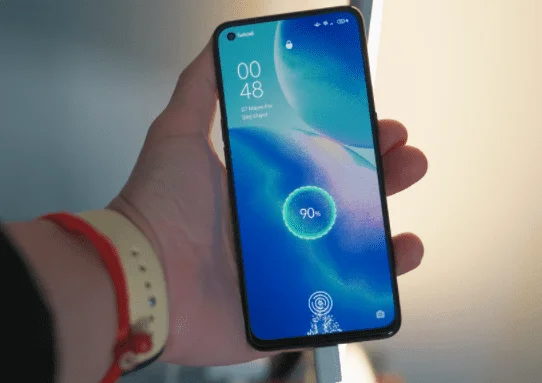
So, to fix some critical issues, you need to take your phones to the service center. However, luckily, there are some common problems that you can try to fix on your own.
Here are seven of the most common phone issues and their solutions.
Phone Responding Slowly?
The most common issue that smartphone users face over time is the phone slows down. The regular updates of the operating system and the apps that run in the background even when they are not being used are what cause the devices to slow down over time. However, if the lagging is not because of the age of the device, there is something that can be done to fix it (see how to speed up an Android phone).
Solution: Make More Space by Cleaning the Cached Files
Close the apps when you are done using them. Change the setting by opting out from unimportant apps for running in the background. Make sure to delete apps and software that you don’t need or use anymore, as they take up RAM space unnecessarily.
To free up more space, you can move your photos and other important content to the cloud. But if it is the internet that is slow, then try switching -between cellular data and Wi-Fi to determine which is receiving a better signal. Close apps and other device features that are using up the data.
If your lagging phone is a result of a weak network connection, then there is not much that can be done. If you are using an old phone, it becomes difficult for the phone to cope with the new updates. In this case, you might want to consider upgrading your phone.
The Battery is Draining Out Faster
Trying to use your phone but the battery keeps running out like a flash? Well, battery problems are the worst ones. Abuse by the user himself could be a reason. But there still are some problems that can be fixed and you can get the most out of your device’s battery.
Solution: Boosting Up the Battery Life
First, you have to make sure that the charging adapter you use is optimized according to your device’s battery. Decreasing the screen timeout time, so the phone screen goes off whenever you are not on it. Screen brightness also takes up a lot of the battery, so it is advisable that you keep it low.
Make good use of the battery-saving mode, if present on your phone, whenever you need to use your phone for longer periods without charging. And the last thing you can do is close the apps that run in the background unnecessarily, since an app can drain your battery faster.
Accidentally Dropped Your Phone in Water?
Accidents are bound to happen no matter how careful one is. The most common accident is dropping the phone in the water. The phone might start misbehaving once you pick it out. And in this situation, there is not much that can be done by the user himself, so you should seek professional help as soon as possible.
Solution: Taking It to A Repair Shop
Panicking in such cases is the worst thing to do. Instead, turn the device off and keep it in rice if available at hand (Apple now advises against rice, because small rice particles can damage a phone; leaving it to dry in a spot with some airflow is safer). This would help in absorbing a little bit of the moisture from the device. Take it to the nearest repair shop. Don’t even try to fix it on your own, do not plug it in the power socket; that would only damage the product.
For more info on saving your phone from common problems, you can visit the blog New Scitech for any sort of issue related to your mobile. They have some awesome solutions.
Running Out of Storage Space?
The innumerable number of photos and videos, the new OS updates, lots of applications etc., all contribute to the problem of shortage of space. However, there are a few ways to optimize space usage and solve the issue.
Solution: Keeping Storage Options Outside the Phone’s Memory Alone
Instead of saving everything in the phone’s memory, you can opt for cloud services or other external storage options like SD cards. Use a microSD card in your phone to save up those extra files and data.
The various cloud services like iCloud and Google Drive can also be used. Or one can simply keep the important data and delete the rest if not needed anymore.
Your Device Is Overheating!
This is one most annoying problems that users face. Not only is overheating annoying but also very damage-causing. It can damage the screen as well as the battery severely. There are some ways to fix this problem too.
Solution: Keeping the Device Inactive
First, the phone should be away from the direct sun rays. Keep in a bag or pocket whenever outside, so the heat does not directly reach the device from the sun.
Let the phone sometimes lay still without being used by closing all the apps and decreasing the screen light. Finally, do not use your phone while charging.
The Bluetooth is Troubling?
When Bluetooth does not pair with other devices, this can cause an immense amount of frustration in this fast-paced world. Some fixes, in this case, are also available, though.
Solution: Try Troubleshooting
When you’ve made sure that the Bluetooth device is compatible with all devices, place both of the devices side-by-side. Turn off both the devices and then turn them back on and try reconnecting without any obstruction in between.
A Cracked Phone Screen
You may agree at some point that a cracked phone screen is never attractive but does attract some serious problems.
As for the glass screens, it is very common to get the screen cracked or scratched. This can be caused by different types of accidents. The cracks may cause some issues with the touch screen, so it is advisable to get it fixed by professionals as soon as possible.
Solution: Repair and Prevent
If the screen is already cracked, get professional assistance as soon as possible and get the screen replaced. And before the next time, keep your phone cushioned enough to prevent any such accidents again. Invest in some strong back and front cover or use of pouch that are padded to keep your phone in. Never leave the phone with keys in the same pocket.
Final Words
Now, you are aware of some of the common problems and how you can solve them. Don’t get panicked if you feel at any time that your phone is behaving oddly. There can be some simple solutions to it. However, if you are not at all sure about fixing it up by yourself, it is always good to seek professional help.
Frequently Asked Questions
Why is my phone so slow?
Phones usually slow down because of operating system updates, apps running in the background and full storage. Closing unused apps and deleting ones you no longer need often helps.
How can I make my phone battery last longer?
Lower the screen brightness, shorten the screen timeout, use battery-saving mode and close background apps. Use a charger that suits your phone’s battery.
What should I do if I drop my phone in water?
Turn it off straight away, do not plug it in and take it to a repair shop. Apple now advises against putting phones in rice; drying them where there is some airflow is safer.
Why does my phone overheat?
Direct sunlight, heavy use and using the phone while charging are common causes. Keep it out of the sun, close apps, lower the brightness and let it rest.
Can I fix a cracked phone screen myself?
It is best not to. Cracks can affect the touch screen, so have the screen replaced by a professional and use a padded case to prevent future damage.

Justwebworld has published guides since 2012. How we write and update articles Report an error
