Note (October 2026): The prices in the original article (Beaver Builder $99, Divi $69, Elementor $49, Themify Builder $39) were out of date; they have been corrected below from each developer’s own pricing page.
The four WordPress page builders compared here are Elementor, Beaver Builder, Divi and Themify Builder. Elementor, Beaver Builder and Themify Builder each have a free version on WordPress.org; Divi is paid only. As of October 2026, entry paid licenses for Beaver Builder, Divi and Themify Builder Pro cost $69 to $89. Elementor is by far the most installed, with more than 10 million active installations.
Key Takeaways
- Elementor is the most widely used builder: WordPress.org lists its free plugin at 10+ million active installations (October 2026).
- Beaver Builder paid plans start at $89 per year for one site; a free Lite version is on WordPress.org.
- Divi costs $89 per year or $249 once for lifetime use, both on unlimited websites, and Elegant Themes says Divi 5 is now available.
- Themify Builder is free on WordPress.org; Builder Pro is listed at $69.
- WordPress’s own block editor (Gutenberg), built in since WordPress 5.0 in December 2018, is a free alternative for simpler layouts.
Page builders are mostly an easy way for WordPress website customization. Most drag & drop builder plugins help with easy customization of a website without an in-depth knowledge regarding coding.
Best Drag and Drop WordPress Page Builders
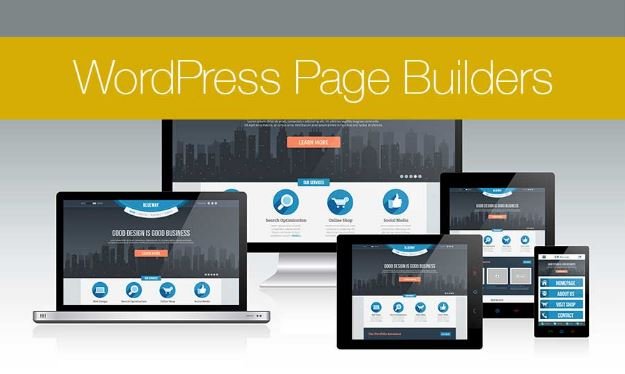
These builders essentially help you with creation, editing, and customization of the site layout without the need to jot down any code.
You’ll find that such page builders as Beaver Builder vs Divi keep coming up in articles which compare popular products such as this very information article on Collectiveray.
Why implement the use of drag & drop page builders for your WordPress website?
When starting a blog, numerous WordPress users find it hard to incorporate a new change to the existing page layout present on their website.
A lot of premium WordPress websites are equipped with themes that come along with an array of different layouts for the page.
However, these layouts are too complicated for someone to customize especially if the user doesn’t know anything about coding with HTML/CSS.
Many users look for WordPress websites and tools that can help with easy customization without the requirement to learn coding or invest a substantial amount of time incorporating the code.
WordPress is the most widely used content management system: Wikipedia’s WordPress article reports that it runs 62.0% of all websites whose content management system is known.
Users have shifted from platforms that include Weebly and Wix to WordPress given its flexibility and ease of use. The only issue was with the website builder.
To deal with this problem, developers have created several drag & drop builder plugins to be used with WordPress.
These plugins allow the customization of each and every component present on your site plus you don’t have to write even a single code for this thing.
You can essentially add anything starting from multiple columns, images, content slide, parallax background, etc.
WordPress users can use these components as the building blocks of a page layout, on top of the theme they already have.
These plugins can be sorted with the comparison of elements that include flexibility, user-friendliness, and design output.
Here are four established page builders for WordPress, all still actively maintained as of October 2026.
1] Beaver Builder:
Beaver Builder is a premium WordPress page builder with a free Lite version on WordPress.org, and it is one of the longest-established options for website customization.
Along with fast speed, this plug-in flaunts an on-boarding tour incorporated within the builder which helps the user understand and familiarize with the basics of using this tool.
As of October 2026, Beaver Builder’s paid plans are billed yearly: Starter at $89 per year (1 site), Plus at $179 (3 sites), Professional at $299 (50 sites) and Unlimited at $546 (unlimited sites). Every plan includes the page builder, the Beaver Builder theme and the Themer add-on, and the Plus tier and above add Beaver Builder AI.

The Beaver Builder is equipped with an interface that houses live drag & drop feature. You can see all the changes being incorporated by you with just the simple action of dragging the elements located at the right hand sidebar followed by dropping it off on the page.
You can also click over any of the elements present inside the page in order to edit the properties. This particular plug-in has both basic as well as advanced modules that can help you cover anything that you might want to add.
With the modules, you can add carousel, sliders, backgrounds, buttons, content blocks and many others elements to your website. It is easy to be used by beginners with a tool to customize even the minute details of the website with pre-customized templates.
2] Divi:
Divi, made by Elegant Themes, combines a WordPress theme with a visual drag-and-drop builder and ready-made design elements. It flaunts more than 20 templates/layouts that can be used on various websites.

You can easily create your very own layouts with the use of Divi. This plug-in also lets you export the layout present in another Divi installation onto another one. It also comes along with hundreds of elements which can be dragged and dropped anywhere over the layout of your website.
As of October 2026, Elegant Themes lists Divi at $89 per year or a one-time $249 for lifetime access, both covering unlimited websites; a Divi Pro bundle with Divi AI, Divi Cloud, Divi VIP and Divi Teams costs $277 per year. Elegant Themes also states that Divi 5 is now available. The functionality of this page builder is superb with an access to work along with other themes of WordPress.
3] Elementor:
This particular page builder for WordPress websites has been built from the scratch to ensure great speed during execution. As a user, you shall immediately notice the fact that this plug-in is highly responsive and fast.

Elementor is actually a live plugin for your website. This means users can see the page live while editing the same with this page builder. You can easily create sections followed by a selection of the number of columns to be used for each of these sections.
Elementor houses numerous widgets that can be used with various website elements. Starting from the basic images to the text widgets, users can make use of this plug-in to incorporate advanced functions that include sliders, testimonials, accordions, icons, tabs, social media, etc. Each of these widgets comes with their very own settings.
Elementor also lets you incorporate widgets that have been created by any different plug-in for WordPress. It houses ready-made templates which can easily be inserted within the website pages. The core Elementor plugin is free on WordPress.org, where it has more than 10 million active installations. Elementor Pro is an annual subscription with tiers by number of sites (Essential and Advanced Solo for 1 site, Advanced for 3, Expert for 25); prices change often, so check Elementor’s pricing page for the current rate.
4] Themify Builder:
Themify Builder is a simple yet highly intuitive builder that houses numerous modules readily available for use which can easily be added to the posts or pages of the website. A lot of these page modules actually require the user to install a separate plug-in for WordPress.

With the use of Themify Builder, you can easily edit your website with the live option as well as admin area. With the live option, you get to understand the exact changes that need to be incorporated into the website.
This page builder also comes in with many layouts that are available for instant use that can be quickly applied to the page. Themify Builder itself is free on WordPress.org. As of October 2026, Themify lists Builder Pro, which adds visual templates for headers, footers, archives and WooCommerce pages, at $69, or all Themify products through its Master Club at $89 per year or its Lifetime Club at $249 once.
Themify Builder houses promising features for the users but with time to be dedicated towards learning some of these features before incorporating them into the website.
WordPress Page Builders Compared
The table below summarizes the four builders as of October 2026, using WordPress.org plugin data and each developer’s pricing page.
| Builder | Free version | Entry paid price | Active installs (free plugin) | Good fit for |
|---|---|---|---|---|
| Elementor | Yes, on WordPress.org | Annual Pro subscription; check current price | 10+ million | Most users; the largest user base |
| Beaver Builder | Yes (Lite) | $89 per year, 1 site | 100,000+ | Buyers who want builder, theme and Themer in one plan |
| Divi | No | $89 per year or $249 lifetime, unlimited sites | Not on WordPress.org | Owners of many sites who want one license |
| Themify Builder | Yes, on WordPress.org | Builder Pro $69; Master Club $89 per year | 5,000+ | Users of Themify themes and add-ons |
Version data from WordPress.org in October 2026: Elementor 4.3.3, Beaver Builder Lite 2.11.0.6 and Themify Builder 7.8.2, each updated in September 2026.
What Is a WordPress Page Builder?
A WordPress page builder is a plugin (or a theme with a built-in builder) that lets users design page layouts visually, by dragging sections, columns and widgets onto the page, instead of writing HTML, CSS or PHP. Most builders show a live front-end preview, so the page looks the same while editing as it does to visitors.
WordPress has also shipped its own block editor, Gutenberg, since WordPress 5.0 “Bebo,” released on December 6, 2018. Wikipedia describes blocks as units of markup that, combined, form a page’s content or layout. For blog posts and simple pages, the block editor can be enough; dedicated page builders add more design controls, templates and widgets.
How to Choose the Right Page Builder
- Start free. Elementor, Beaver Builder Lite and Themify Builder can be installed free from the WordPress plugin directory, so try one on a staging copy of the site before paying. Our guide to creating a WordPress staging website explains how.
- Count your sites. Beaver Builder and Elementor Pro price by number of sites; Divi and Themify’s clubs cover unlimited sites, which suits freelancers and agencies.
- Compare yearly and one-time costs. Divi ($249) and Themify’s Lifetime Club ($249) offer one-time licenses; Beaver Builder and Elementor Pro are yearly subscriptions.
- Check theme-building needs. If headers, footers and archive pages must be designed visually, look for theme-building features such as Beaver Themer (included in Beaver Builder plans) or Themify Builder Pro.
- Test speed. Every builder adds code to a page. Measure load times before and after, and see our tips on improving the speed of a WordPress site.
Pros and Cons of Using a Page Builder
- Pro: no coding needed to build layouts with columns, sliders, tabs and other modules.
- Pro: template libraries speed up building landing pages and home pages.
- Con: most paid plans renew yearly unless a lifetime license is bought.
- Con: extra scripts and styles can slow pages, so performance needs checking.
- Con: each builder stores layouts in its own format, so switching builders later usually means rebuilding pages.
New to WordPress? Start with our beginner’s guide to making a website with WordPress, and if you are still deciding on a platform, read WordPress vs Wix. For a deeper look at one of these builders, see whether Elegant Themes Divi is the best choice for a business.
Frequently Asked Questions
Which WordPress page builder is the most popular?
Elementor is the most popular WordPress page builder by installations. WordPress.org lists the free Elementor plugin at more than 10 million active installations as of October 2026, compared with 100,000+ for Beaver Builder Lite and 5,000+ for Themify Builder.
Is there a free WordPress page builder?
Yes. Elementor, Beaver Builder Lite and Themify Builder all have free versions in the WordPress.org plugin directory, and WordPress’s built-in block editor (Gutenberg) is free with every WordPress install. Divi has no free version.
How much does Divi cost?
As of October 2026, Elegant Themes sells Divi for $89 per year or $249 as a one-time lifetime payment, both for unlimited websites. The Divi Pro bundle with Divi AI, Divi Cloud, Divi VIP and Divi Teams costs $277 per year.
How much does Beaver Builder cost?
As of October 2026, Beaver Builder costs $89 per year for one site, $179 for three sites, $299 for 50 sites and $546 for unlimited sites, all billed yearly.
Do I need a page builder if WordPress has the block editor?
Not always. The block editor, part of WordPress since version 5.0 in December 2018, handles posts and simple pages well. A page builder is worth considering when you need more design control, ready-made templates or visual theme building without code.