Building your own PC gives full control over every part, easier upgrades and often better value for gaming or creative work, but it takes time, needs basic technical knowledge and leaves you managing separate warranties for each part. Buying a prebuilt PC suits everyday use: one warranty, one support line and Windows already installed. As of September 2026, rising memory prices mean you should price both options before deciding.
Key Takeaways
- Building makes most sense for gaming, video editing and other demanding work where you choose the graphics card, processor and RAM yourself.
- Buying prebuilt is usually simpler for web browsing, office work and streaming, and includes a single system warranty and a Windows license.
- A self-built PC needs its own Windows license: Microsoft lists Windows 11 Home at $139.00 and Windows 11 Pro at $199.99 in the US Microsoft Store as of September 2026.
- A global memory shortage that began in 2025 has raised RAM and SSD prices, which affects builders and PC makers alike.
- Check compatibility (CPU socket, RAM type, case size, power supply) before buying any part.
To build or to buy a personal computer? This question usually comes to the mind of most people, especially when wanting to upgrade their PCs to handle even more complex tasks to provide a better user experience. The build vs. buy debate has been going on for some time now in the world of personal computers.
The Pros and Cons of Creating a Custom Computer
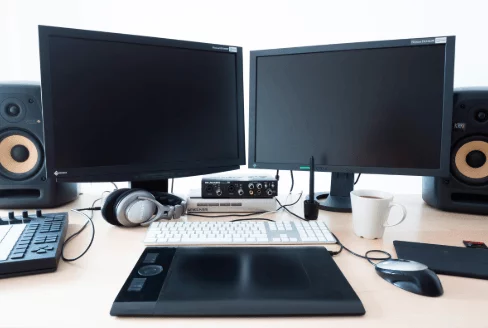
Buying or building your own PC totally depends on what you intend to use the PC for. For instance, if you plan to use your PC for general Web browsing, basic word processing or just video streaming, it would be best that you buy instead of building.
On the other hand, if you intend to use your PC for complex tasks such as gaming or designing which require intense processing power, building your own PC is often better value than buying a prebuilt system with the same performance, although discounted prebuilt deals sometimes cost less than the same parts bought separately, so compare both.
Nonetheless, building a PC from scratch is not an easy task and requires some background knowledge, but custom-PC retailers such as PC Builder who have provided readily available components can help you to easily accomplish this mission.
While it is often cheaper to build your own pc, it can get really expensive especially if you don’t know what you are doing or the PC components that you require. One of the most important components are standoffs which keep everything separated in order to prevent electrical shorts.
Pros of Building your Own PC
Cheaper than Buying
While the demand for PCs has dwindled in recent years attributed to the preference of laptops and tablets to desktops, high-performance PCs are still expensive to buy. One advantage of building your own PC is that you are able to save a substantial amount of money.
The saving comes from choosing each part yourself, not paying a system builder for assembly, and reusing parts such as the case, power supply or storage from an older PC. Large PC makers also buy parts in bulk, though, so always price a comparable prebuilt before assuming a build is cheaper. Used or refurbished components can cut the cost further, but they often come with a shorter warranty or none at all.
Customizability
Building your own PC allows you to fully customize it with the software or hardware you require to perform the intended task. This allows you to get exactly what you want and you don’t have to pay for features you don’t require or need in pre-built models.
For instance, if you are building a computer server, you would want to enhance the hardware and RAM for optimized performance. Or if you are building a gaming PC, you ought to go for a powerful GPU for an immersive gaming experience. So, basically building your own PC provides you with a rare opportunity of customizing it depending on the intended task.
Upgradability
On top of being able to customize your PC, building it also allows you to upgrade individual components if the need arises. For instance, if you establish that your computer requires additional RAM for improved performance, you can easily upgrade it.
Enhances your understanding of computers
Building your own PC enhances your knowledge in computers thanks to a practical approach. That hands-on knowledge makes later troubleshooting and upgrades much easier. Additionally, building your own PC provides you with a sense of fulfillment and pride.
Cons of building your PC
Stressful, Exhausting and Time Consuming
Building your own PC takes a lot of time and can really be stressful. It takes time to shop for the individual components and joining them to achieve a complete functional system.
Sometimes, individual components may have compatibility issues and you have to look for other components thus end up taking additional time as well as additional costs
Lack of Warranty on the individual components
Most new components carry their own manufacturer warranty, but used, refurbished or marketplace parts may not, which leaves you without cover if they fail. Additionally, even if the individual components have warranties, the PC lacks an all-encompassing warranty putting your investment at risk.
High chances of errors
Assembly mistakes can happen even to experienced PC builders, and first-time builders are the most likely to make them. Sometimes, you may assemble parts which are not compatible and you may not easily recognize the exact components that are non-compatible.
Lack of tech support
Even though there are plenty of PC building tutorials and guidelines online, they are sometimes not that much helpful because every PC builder encounters unique inconsistencies which may not be solved by watching the tutorials. Each part maker supports only its own component, so no single company will diagnose the whole system for you, which is a real drawback of building your own PC.
Summary
Building your own PC offers you the opportunity to create a unique computer system that fits your personal demand.
Building a PC can be a fulfilling experience, can save money compared with a similar prebuilt system, and improves your understanding of computers. The experience can also be exhilarating, stressful, exhausting and time-consuming especially for a first time builder.
Building vs Buying a PC: Side-by-Side Comparison
| Factor | Build your own PC | Buy a prebuilt PC |
|---|---|---|
| Cost | Often better value for mid-range and high-end systems; you pay retail for each part | Makers buy parts in bulk; sale prices can beat a DIY build, especially at the budget end |
| Choice of parts | Every part chosen by you | Fixed configuration chosen by the maker |
| Warranty | Separate warranty per component | One warranty for the whole system |
| Support | Forums, guides and each part maker | A single support line for the whole PC |
| Operating system | Bought separately (Windows 11 Home lists at $139.00 as of September 2026) | Usually preinstalled and included in the price |
| Time | Research, ordering, assembly and setup | Ready to use out of the box |
| Upgrades | Standard parts, easy to swap | Some models use proprietary cases, boards or power supplies |
What Parts Do You Need to Build a PC?
A working desktop PC needs the following core components. Checking that they fit together is the most important step of the whole project.
- Processor (CPU): must match the motherboard socket.
- Motherboard: sets the CPU socket, the RAM type (DDR4 or DDR5) and the size of case you can use.
- Memory (RAM): must be the type the motherboard supports.
- Storage: an NVMe or SATA SSD for the operating system; a hard drive is optional for bulk files.
- Graphics card (GPU): needed for gaming and 3D work unless the CPU has capable integrated graphics; check its length against the case.
- Power supply (PSU): must supply enough wattage and the right connectors for the CPU and GPU.
- Case: must support the motherboard size and the cooler height.
- CPU cooler: some processors ship with one, many do not.
- Operating system license: Windows, or a free Linux distribution.
Motherboard Sizes: ATX, microATX and Mini-ITX
The motherboard form factor decides which case you can buy. ATX was developed by Intel and first released in July 1995, and it defines board dimensions and the mounting points that connect the board to the computer case.
| Form factor | Board size | Typical use |
|---|---|---|
| ATX | 12 x 9.6 in (305 x 244 mm) | Full-size desktops with the most expansion slots |
| microATX | 9.6 x 9.6 in (244 x 244 mm) | Smaller builds; fits in many ATX cases |
| Mini-ITX | 6.7 x 6.7 in (170 x 170 mm) | Compact PCs; originally designed for home theater and fanless systems |
Hidden Costs of Building a PC
The Windows License
A prebuilt PC normally ships with Windows installed; a self-built PC does not. As of September 2026, the US Microsoft Store lists Windows 11 Home at $139.00 and Windows 11 Pro at $199.99. Include this in your budget when comparing a build with a prebuilt price.
Windows 11 Hardware Requirements
If you plan to reuse an old processor or motherboard, check it against Microsoft’s minimum requirements for Windows 11: a compatible 64-bit processor of 1 GHz or faster with 2 or more cores, 4 GB of RAM, 64 GB of storage, UEFI firmware with Secure Boot capability, TPM version 2.0, and a DirectX 12 compatible graphics card with a WDDM 2.0 driver. Microsoft also requires an internet connection and a Microsoft account during setup of Windows 11 Home and Pro.
This matters because, according to Microsoft, Windows 10 support ended on October 14, 2025. Microsoft’s consumer Extended Security Updates program provides security-only updates for enrolled Windows 10 PCs through October 12, 2027, with free enrollment when PC settings are synced, 1,000 Microsoft Rewards points, or a one-time $30 payment.
The Memory Price Surge
Memory has become one of the biggest variables in PC pricing. According to reporting summarized by Wikipedia, a global memory shortage began in 2025 as manufacturers shifted production toward high-bandwidth memory for AI accelerators; DRAM prices rose by 172% over 2025, and PC makers faced cost increases of 15 to 20%. Because both builders and PC makers pay more for RAM and SSDs, compare current part prices with current prebuilt prices before deciding which route is cheaper.
How to Build a PC: Step by Step
- Define the purpose and budget. Gaming, video editing and office use need very different parts.
- Choose the CPU and motherboard together so the socket and chipset match.
- Match the RAM type (DDR4 or DDR5) to the motherboard.
- Check physical fit: motherboard size against the case, GPU length and cooler height against the case limits.
- Size the power supply for the CPU and GPU, with the connectors they need.
- Assemble: fit the CPU, cooler, RAM and SSD to the motherboard, mount the board on the case standoffs, then install the power supply and graphics card and connect all power cables.
- Test and install: enter the BIOS/UEFI to confirm every part is detected, install the operating system, then install chipset and graphics drivers and run updates.
Common Mistakes First-Time Builders Make
- Buying RAM of the wrong type for the motherboard.
- Forgetting the separate CPU power cable at the top of the motherboard, so the PC will not start.
- Plugging the monitor into the motherboard instead of the graphics card.
- Leaving memory at its default speed instead of enabling the rated profile (XMP or EXPO) in the BIOS.
- Choosing a graphics card or cooler that is too large for the case.
- Forgetting to budget for the operating system license.
Who Should Build and Who Should Buy?
Build your own PC if you want a gaming or workstation PC, enjoy hands-on projects, plan to upgrade parts over time, or can reuse components from an older system. Our guide to configuring a custom gaming PC covers part choices in more detail.
Buy a prebuilt PC if you mainly browse, stream and use office software, want one warranty and one support contact, or need a working computer immediately. Read our guide to buying a pre-built gaming PC and compare the major computer brands. If you need portability rather than a desktop, see what to check when buying a gaming laptop under $1000.
Frequently Asked Questions
Is it cheaper to build your own PC?
Building a PC is often cheaper than buying a prebuilt with the same performance, especially for gaming and high-end systems, but not always. Large PC makers buy parts in bulk and run sales, and a self-built PC needs a separate Windows license, so compare the full cost of both options.
Is building a PC hard for a beginner?
Building a PC is manageable for a careful beginner because modern parts follow standard sizes and mounting points such as the ATX form factor. The hardest part is usually choosing compatible parts, not the assembly itself.
Do you need to buy Windows for a custom PC?
Yes, a custom PC needs its own operating system license unless you use free software such as Linux. As of September 2026, Microsoft lists Windows 11 Home at $139.00 and Windows 11 Pro at $199.99 in its US store.
Does a custom-built PC have a warranty?
A custom-built PC has no single system warranty. Each new component carries its own manufacturer warranty, so keep receipts and contact the maker of the faulty part if something fails.
Can an old PC be upgraded to run Windows 11?
An old PC can run Windows 11 only if it meets Microsoft’s minimum requirements, including TPM 2.0, UEFI with Secure Boot, 4 GB of RAM and a compatible 64-bit processor. Windows 10 support ended on October 14, 2025.